
Qualification Questions
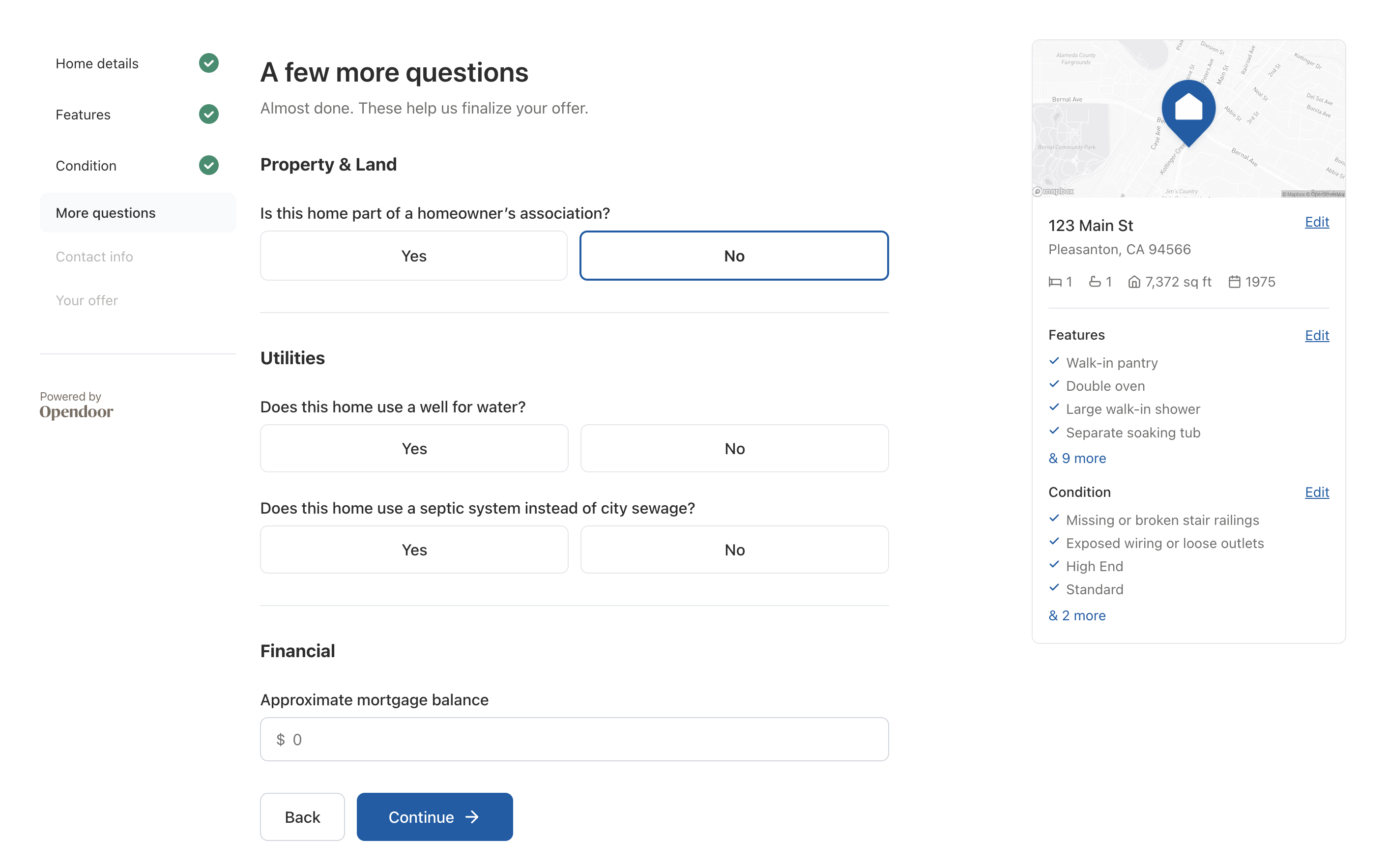
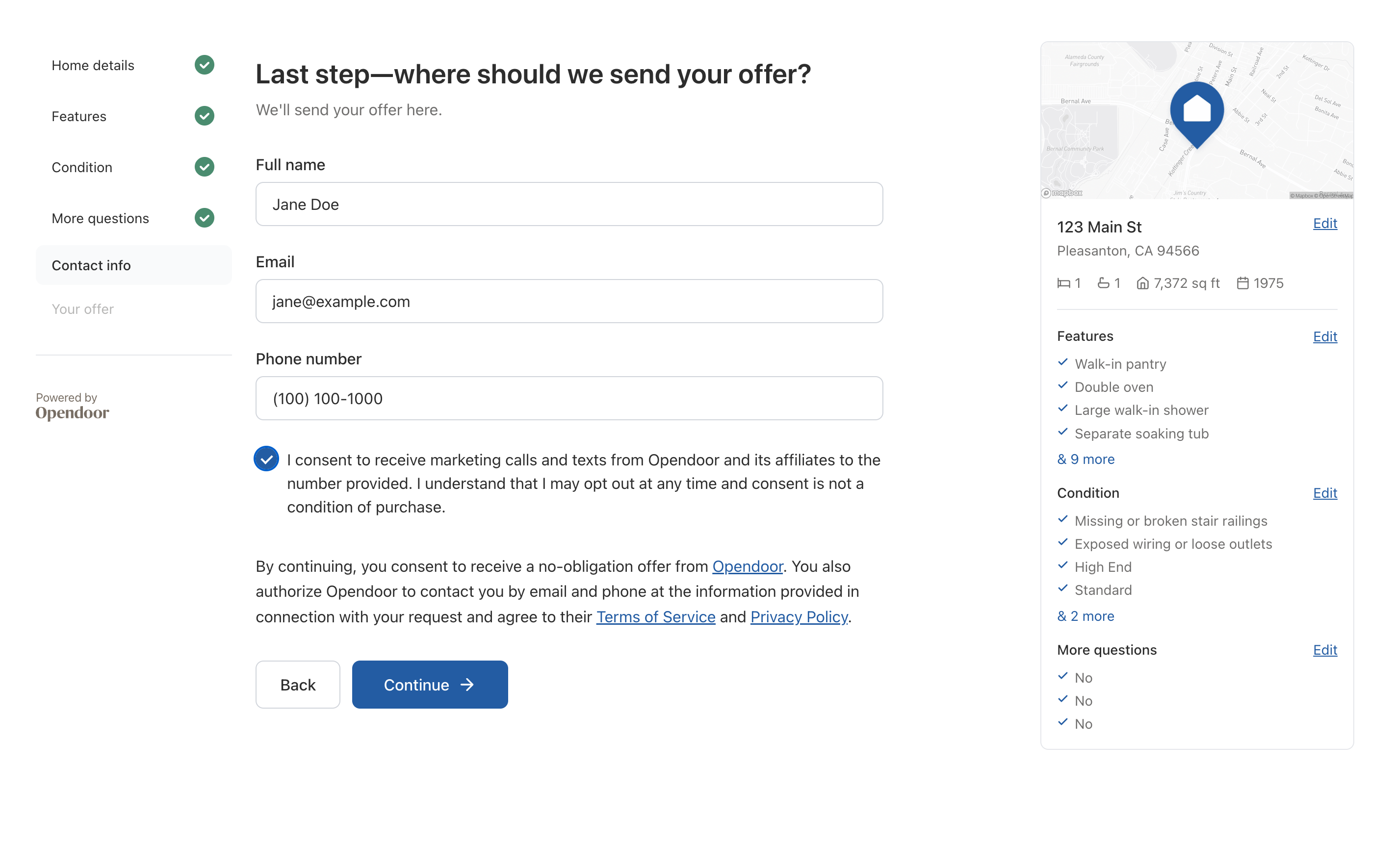
The QualificationQuestions component is a self-contained, multi-page form that collects everything needed to generate an offer. It handles all 5 pages internally - home details, features, condition, additional questions, and contact info - and fires onSubmit when the user completes the flow.
Basic usage
import {  OpendoorProvider,  QualificationQuestions,} from '@opendoor/partner-sdk-client-react';import { OpendoorClient } from '@opendoor/partner-sdk-client-js-core';
const client = new OpendoorClient({ baseURL: '/api/opendoor/v1' });
function App({ offerId, address }) {  return (    <OpendoorProvider client={client}>      <QualificationQuestions        offerId={offerId}        address={address}        appearance={{ theme: 'minimal' }}        onSubmit={async (answers) => {          await client.updateOffer(offerId, answers);          // Poll for offer with pricing          const offer = await client.getOfferWithSellDirectPricing(offerId);        }}      />    </OpendoorProvider>  );}
Props
| Prop | Type | Default | Description |
|---|---|---|---|
offerId | string | Required | Opendoor offer request ID from createOffer() |
address | Address | Required | Address to display in the review sidebar |
salesAssociateName | string | - | Optional sales associate name |
salesAssociateEmail | string | - | Optional sales associate email |
initialAnswers | Record<string, AnswerValue> | - | Prefill data (e.g., from getHomeDetail()) |
appearance | OpendoorAppearance | { theme: 'minimal' } | Visual theme configuration |
showAttribution | boolean | true | Show “Powered by Opendoor” in sidebar |
mapImageUrl | string | - | Override the map image with a custom URL |
mapboxAccessToken | string | Built-in | Override the Mapbox token for map rendering |
mapPinMarker | string | Blue home pin | Custom map pin (Mapbox spec or image URL) |
Lifecycle callbacks
| Callback | Type | When it fires |
|---|---|---|
onReady | () => void | Component mounted and ready |
onSubmit | (answers) => void | User completed all 5 pages |
onPageChange | (pageIndex, pageId) => void | User navigates between pages |
onAnswerChange | (key, value, allAnswers) => void | Any answer changes |
onError | (error: Error) => void | Validation or internal error |
onEditAddress | () => void | User clicks “Edit” on the address in the review card |
Pages
The component renders 5 pages in sequence:
| # | Page | What it collects |
|---|---|---|
| 1 | Home Details | Bedrooms, bathrooms, sq ft, year built, dwelling type |
| 2 | Features | ~57 optional toggles across kitchen, rooms, exterior, systems |
| 3 | Condition | 10 damage categories + 4 seller-score card-selects with photos |
| 4 | More Questions | HOA, utilities, mortgage balance |
| 5 | Contact Info | Name, email, phone, marketing consent |
Prefilling answers
Use getHomeDetail() to load property data Opendoor already knows (from MLS, public records). Pass the results as initialAnswers:
function QualificationFlow({ offerId, address }) {  const client = useOpendoorClient();  const [initialAnswers, setInitialAnswers] = useState({});  const [isLoading, setIsLoading] = useState(true);
  useEffect(() => {    client      .getHomeDetail({ opendoorOfferRequestId: offerId })      .then((result) => {        // Extract values - keys are already dot-notation        const answers = {};        for (const [key, entry] of Object.entries(result.answerPrefills)) {          answers[key] = entry?.value ?? entry;        }        setInitialAnswers(answers);      })      .finally(() => setIsLoading(false));  }, [offerId]);
  if (isLoading) return <p>Loading...</p>;
  return (    <QualificationQuestions      offerId={offerId}      address={address}      initialAnswers={initialAnswers}      onSubmit={async (answers) => {        await client.updateOffer(offerId, answers);      }}    />  );}
Answer keys
Answers use dot-notation keys that match the qualification schema:
home.bedrooms, home.bathrooms.full, home.above_grade_sq_ft,home.features.kitchen.island, home.condition.interior.flooring,home.kitchen_seller_score, seller.full_name, seller.email, ...When you call client.updateOffer(id, answers), the server SDK maps these keys to the GraphQL schema automatically.
Styling
The component uses the appearance prop for theming. It defaults to the minimal theme (thin borders, subtle styling). See the Styling & Themes guide for all available tokens.
<QualificationQuestions offerId={offerId} address={address} appearance={{ theme: 'minimal', variables: { colorPrimary: '#003366', fontFamily: '"Inter", sans-serif', }, }}/>Map image
The review sidebar renders a map centered on the property address. The component geocodes the address and generates a Mapbox Static Images URL with a pin marker.
To customize the pin marker, pass a Mapbox marker spec or a URL to a custom PNG:
// Mapbox built-in pin with custom color and icon<QualificationQuestions mapPinMarker="pin-l-star+ff0000" ... />
// Custom marker image from a URL<QualificationQuestions mapPinMarker="https://your-cdn.com/custom-pin.png" ... />
To bypass the dynamic map entirely and use a static image, pass mapImageUrl:
<QualificationQuestions offerId={offerId} address={address} mapImageUrl="https://your-cdn.com/maps/123-main-st.png"/>Resetting the form
The component manages its own state internally. To reset it (e.g., start over with a different address), change the React key prop:
<QualificationQuestions key={offerId} offerId={offerId} address={address} />Changing the key forces React to unmount and remount the component with fresh state.